
Cheap and Disposable Code: How AI Helped Our Design System Migration
AI isn’t hype. Even if progress froze today, it would still fundamentally transform how we work and collaborate.

Originally published on LinkedIn: https://www.linkedin.com/pulse/cheap-disposable-code-how-ai-helped-our-yqcce/
Designing for multiple brands
In the Lufthansa Group, there are different airlines, each with its own history and identity. When designing our website and app, we need to make sure the design follows each airline’s brand guidelines.
To do this, we created a Design System for each airline in Figma. In practice, this meant designers had to carefully pick the right colors, text styles, and components from the correct Design System every time. Even small changes often had to be repeated manually for each airline.
For example, to create a headline on a Lufthansa page, I first need to add the Lufthansa Design System to my Figma file and apply the correct text style and brand color. If I want to reuse this headline on a Swiss page, I need to copy it, switch to the Swiss Design System, and reapply those styles there, because the definitions are different. This kind of work quickly becomes tedious when we design for multiple airlines.
Design System with Figma Variables
In 2023, Figma introduced a feature called Variables that made this much easier. Instead of maintaining separate Design Systems for each brand, we can now keep one unified system and switch between brands when needed.
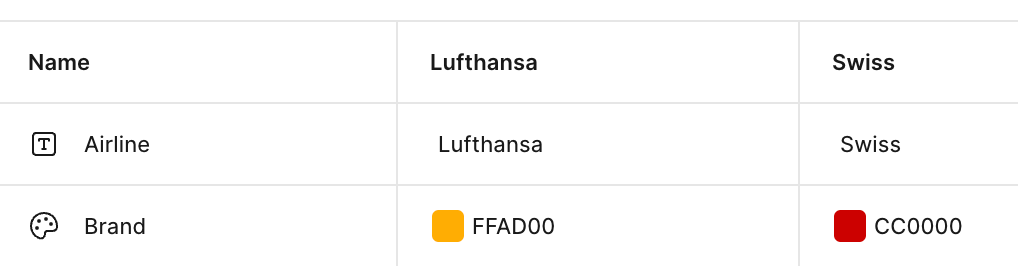
Using the same example, we can define different “Modes” such as “Lufthansa” and “Swiss.” Each mode contains the brand-specific values for things like text styles and colors:
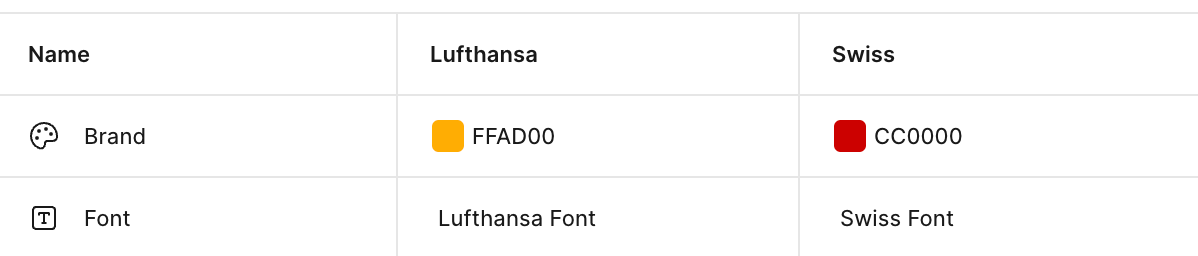
Once these variables are set up and assigned to the headline, I can simply switch the Mode in Figma to change the design from one airline to another, similar to switching to a dark theme in some apps:
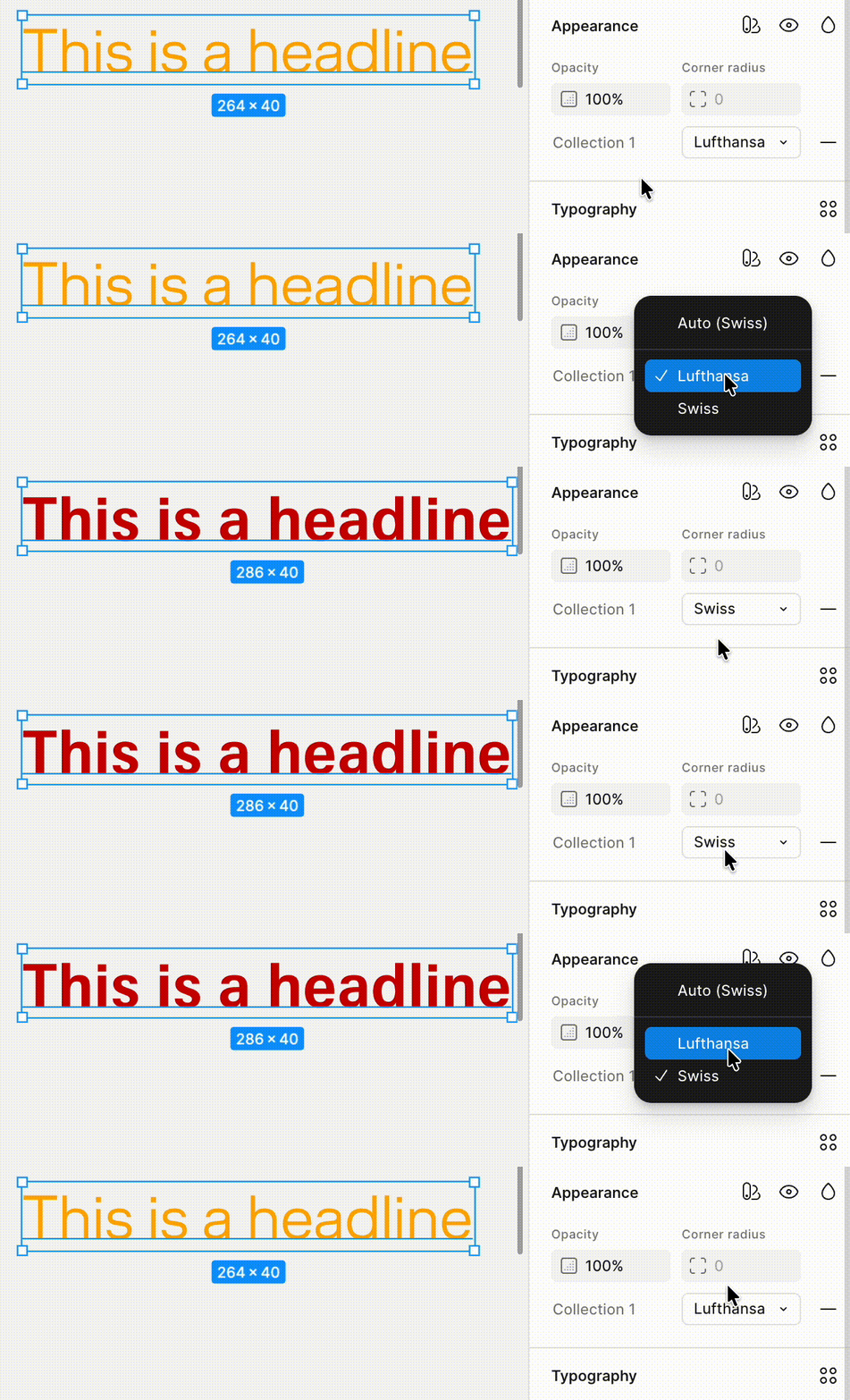
This change removed a lot of manual work and made designing for multiple brands much faster.
The challenge
However, icons turned out to be the one thing this new system couldn’t handle automatically.
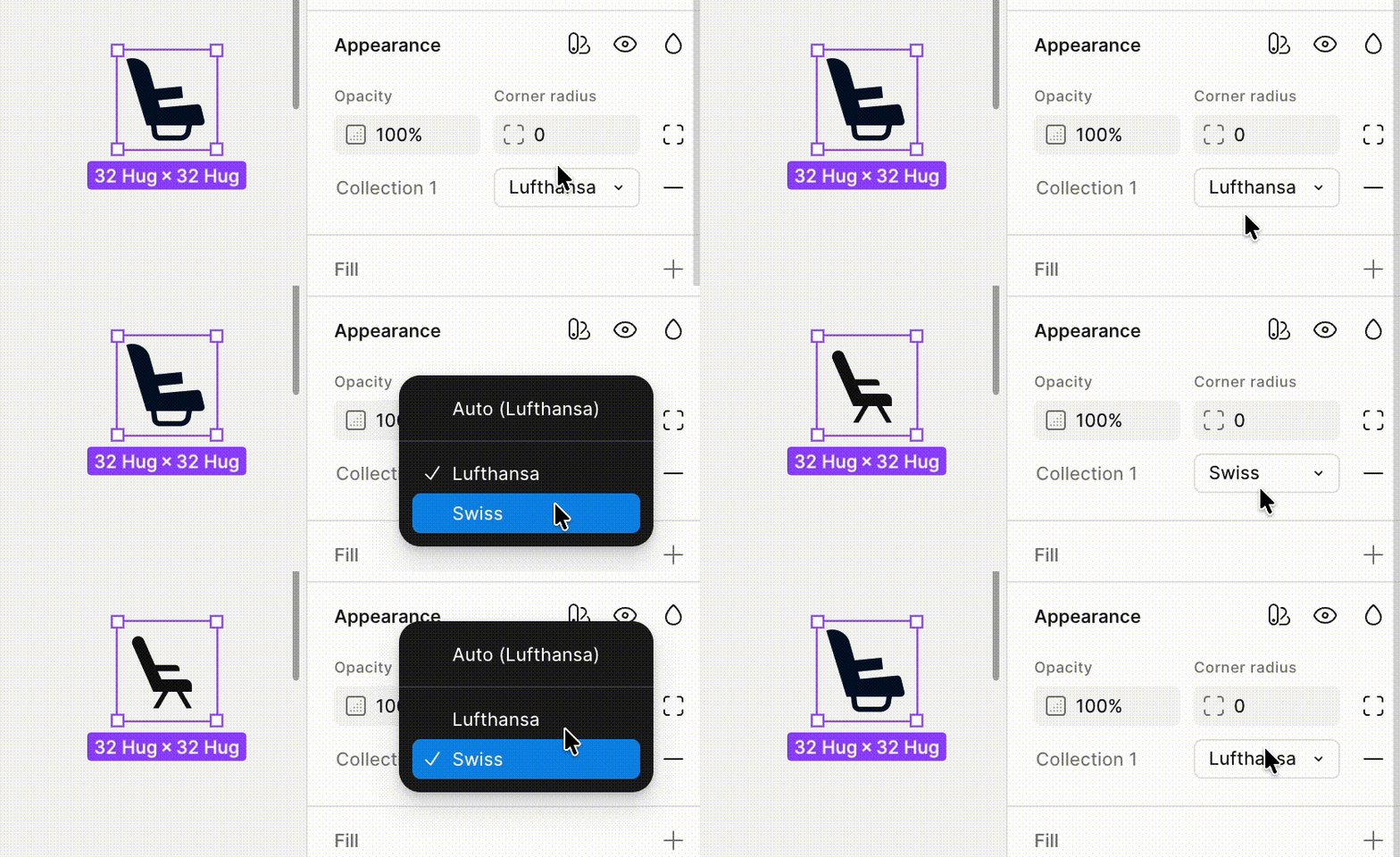
Each airline has its own icon set, but Figma Variables don’t support switching icon files directly. To work around this, we grouped icons into components and stored the different airline versions as variants inside the same component. Each variant has a property called “Airline,” which tells Figma which brand it belongs to.
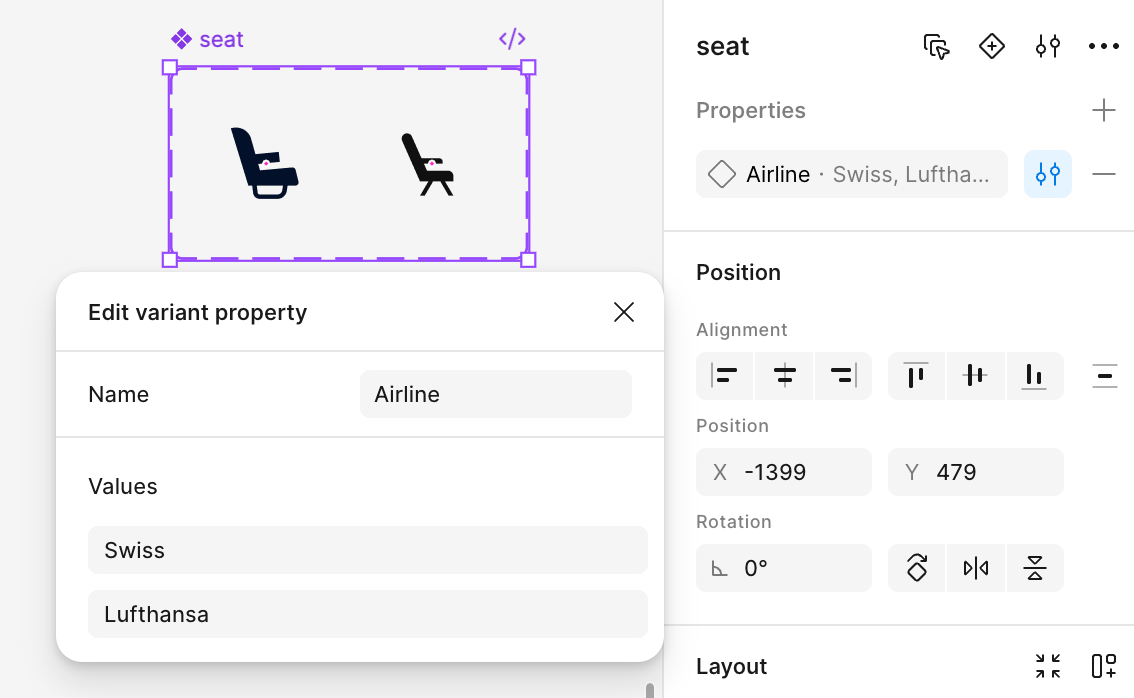
We then connected this property to an “Airline” variable. With this workaround, we can also switch icons by switching the Mode:
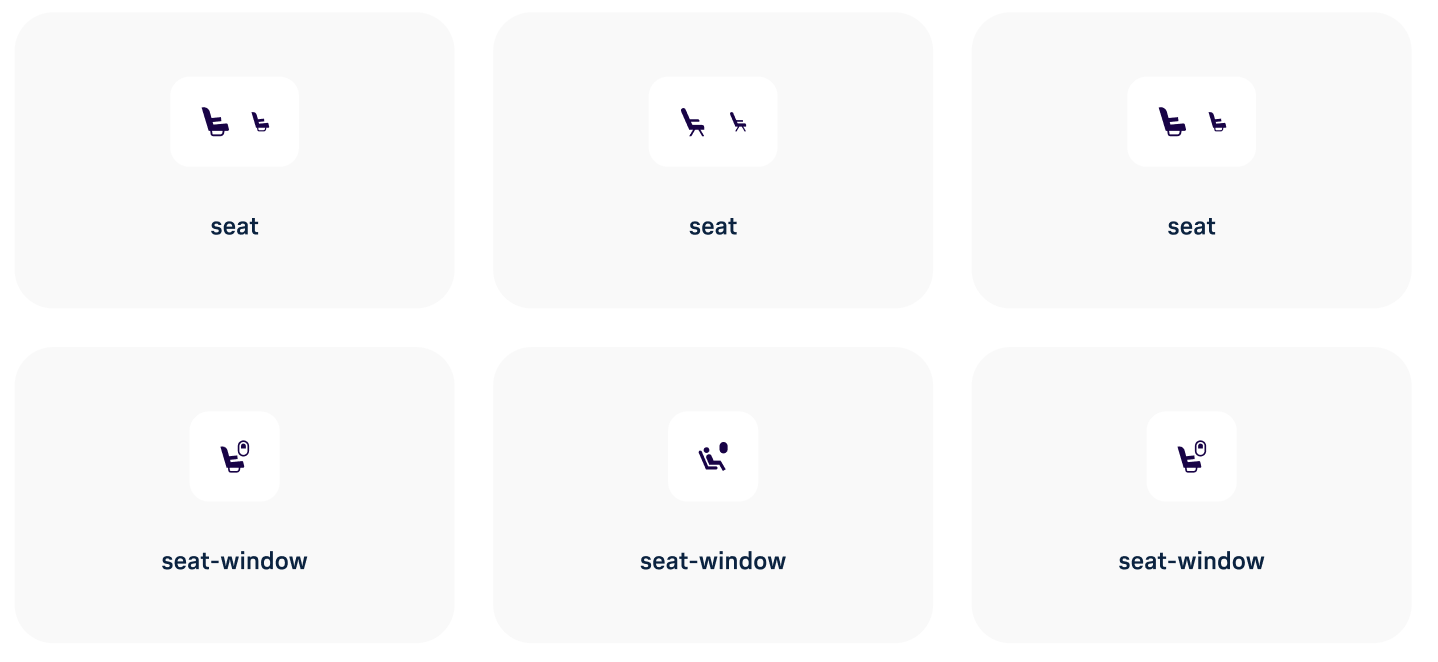
The problem is that our icons are organized in a totally different way. Each airline’s icon is its own component, with variants for different sizes. We must reorganize the icons for the new Design System. Due to the number of icons, it would take us weeks to reorganize them manually.
The plugin, written by AI
Today, we have Large Language Models like Gemini and Claude that are very good at coding. If AI could generate a Figma plugin to reorganize the icons automatically, it could save us a huge amount of time. Fortunately, our challenge is perfect for trying AI-generated code for several reasons:
The steps are clear and easy to describe.
The plugin is for internal use only and we’ll probably only use it once, so the code can be messy and non-maintainable.
We can copy the icons to a new page to try the plugin, so there won’t be any serious damage even if the code accidentally deletes some icons.
The task is small. Even if AI fails to generate the code we want, it won’t take much time to experiment.
No confidential data is involved.
I chose Google Antigravity to write the plugin because it’s free and I had good experiences with Gemini. After thinking about how to describe the procedure, I fed Google Antigravity the following prompt:
Help me write a Figma plugin to reorganize the component on the current page.
There are many “Main Components” on the page and they are organized this way: 1. the main component name is: [Airline]/[Icon Name]. 2. Each component contains several Variants with different sizes. For example, there’s a main component “LH/close” which contains two Variants “[Size]=24” and “[Size]=16.” The structure is like this:
[Airline]/[Icon Name]:
Variant: Size=24
Variant: Size=16
The plugin should reorganize the “Main Components” in this way: 1. Create a Main Component for each identical [Icon Name]. The name is [Icon Name]. 2. Create two Properties for it: “Airline” and “Size” 2. Put all existing Variants with the same [Icon Name] under the new main component and assign the correct value [Airline] to the property “Airline”, [Size] to the property “Size”. For example, there are two components “LH/close” and “LX/close”, each has three variants “Size=32”, “Size=24”, and “Size=16”. You need to create a main component named “close” and put all variants from “LH/close” and “LX/close” under it. The property “Size” should be kept and all LH variants should be assigned “Airline=LH” and all LX variants should be assigned “Airline=LX”.
Before the reorganization:
LH/close
Size=32
Size=24
Size=16
LX/close
Size=32
Size=24
Size=16
After:
close
Airline=LH, Size=32
Airline=LH, Size=24
Airline=LH, Size=16
Airline=LX, Size=32
Airline=LX, Size=24
Airline=LX, Size=16
It generated the plugin code quickly. The first version wasn’t perfect, but the structure was already solid. After some debugging and small adjustments, the plugin could reorganize all icons on a page with one click.
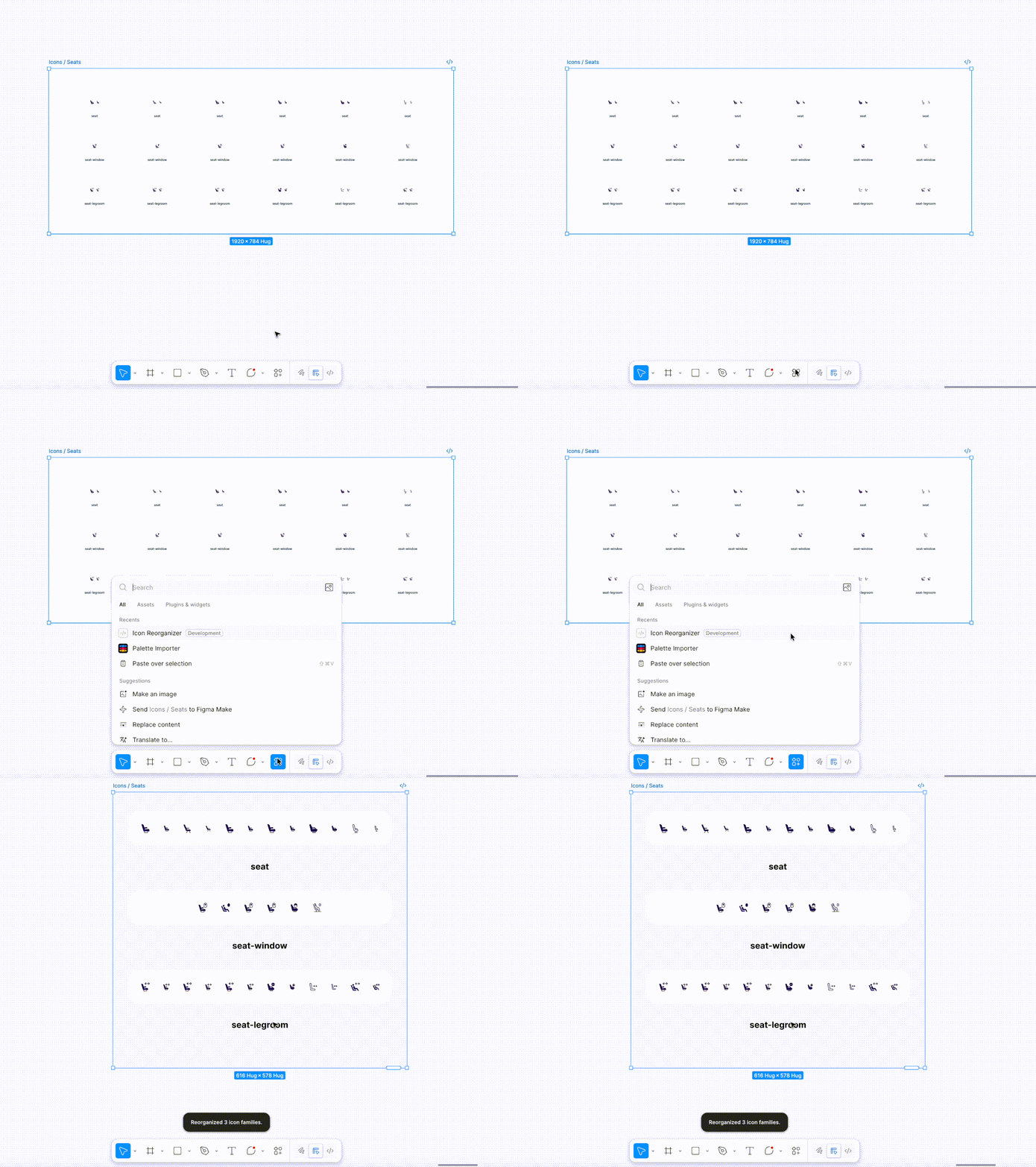
With that in place, the icons could be seamlessly switched using the “Airline” variable in the new Design System.
Cheap and disposable code
Not long ago, code was expensive, and writing this plugin would have been hard to justify. Even an experienced developer would need at least a couple of days and most companies wouldn’t spend a developer’s time on a one-off internal task. We would probably still move the icons manually for weeks, even though we know a plugin would help, simply because it’s cheaper than writing one.
AI changes that calculation. Code has never been so cheap and disposable. For many repetitive and tedious tasks, you can use AI to quickly generate a script or plugin to automate them, if they can’t be directly handled by AI. It doesn’t matter if you only use the code once, because it costs little and the benefit is high if it works.
In one of his talks, mathematician Terence Tao compared Large Language Models to jet engines. A jet engine makes travel much faster, but you can’t just attach it to a car. You need to invent the plane and develop all the safety protocols around it. The change seems simple and one-dimensional (it’s just faster), but it created the aviation industry and changed our understanding of travel.
Cheap and disposable code may have a similar impact on our daily work. Imagine if everyone is equipped with AI that can automate small tasks by generating code. How would that change the way we work and collaborate? I’m looking forward to seeing where this leads.